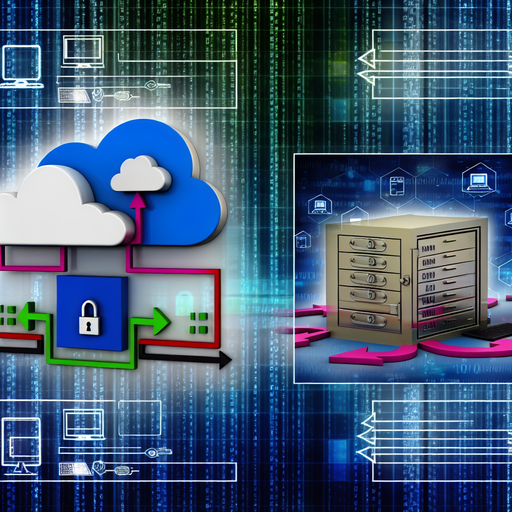
Nextcloud and Data Backup: Secure Your Data with Powerful Backup Solutions
In the realm of cloud storage and data management, Nextcloud stands out with its robust features and unparalleled security. Here, we delve into Nextcloud and its exceptional capabilities for data backup, ensuring your data remains safe and accessible.
What is Nextcloud?
Nextcloud is an open-source, self-hosted cloud platform designed to provide secure data storage and management. Unlike traditional cloud services, Nextcloud offers complete control over your data with on-premise deployment. This ensures that your sensitive information remains within your control, minimizing the risks associated with third-party storage solutions.
With Nextcloud, users can synchronize and share data across multiple devices, collaborate in real-time, and utilize a variety of integrated applications to enhance productivity and data security.
The Importance of Data Backup
Data backup is a critical aspect of data management. It involves creating copies of your data to safeguard against loss, corruption, or disasters. In today’s digital age, data loss can occur due to various reasons such as hardware failures, cyber-attacks, human error, or natural disasters. A reliable backup solution ensures that you can quickly restore your data and continue your operations with minimal disruption.
Nextcloud’s data backup features provide an essential layer of protection, ensuring that your important data is always recoverable.
Nextcloud Backup Solutions
Nextcloud offers a variety of tools and features designed to facilitate efficient data backup. Here’s a closer look at some of the key backup solutions available within the Nextcloud ecosystem:
1. Nextcloud Server Backup
The core of Nextcloud’s backup capabilities lies in its server. Implementing a robust server backup strategy is crucial for ensuring the integrity and availability of your data. Nextcloud supports various methods for server backups, including:
- Full Server Backup: This involves creating a complete snapshot of your Nextcloud server, including all files, settings, and databases. Full server backups are typically performed on a scheduled basis, providing a comprehensive restore point.
- Incremental Backup: Instead of backing up all data every time, incremental backups only include changes made since the last backup. This method reduces backup times and storage requirements while ensuring that all modifications are captured.
- Differential Backup: Similar to incremental backups, differential backups include changes made since the last full backup. While they require more storage than incremental backups, differential backups simplify the restore process.
2. Nextcloud App: Backup
The Nextcloud Backup app is specifically designed to streamline and automate the backup process. This app offers a user-friendly interface and a range of features that enhance backup management:
- Scheduled Backups: Users can configure automatic backups at specific intervals, ensuring regular updates without manual intervention.
- Custom Backup Plans: Create tailored backup plans based on your specific needs, including the selection of files, directories, and the frequency of backups.
- Versioning: The app supports versioning, allowing you to retain multiple versions of your files and revert to previous versions if needed.
- Recovery Options: The Nextcloud Backup app offers various recovery options, enabling you to restore single files, entire directories, or complete backups as required.
The combination of the Nextcloud server’s inherent backup capabilities and the specialized features of the Nextcloud Backup app ensures a comprehensive and flexible backup solution for your data.
Enhanced Security and Encryption
Security is at the core of Nextcloud’s design. Its backup solutions are built with advanced security measures to protect your data during transfer and storage:
- End-to-End Encryption: This feature ensures that your data is encrypted on the client side before it’s sent to the server, maintaining its confidentiality throughout the transfer process.
- Server-Side Encryption: Nextcloud also supports server-side encryption, which encrypts data stored on the server, adding an extra layer of security against unauthorized access.
- Two-Factor Authentication (2FA): By enabling 2FA, users add an additional verification step during login, significantly reducing the risk of unauthorized access to their accounts and data.
These security features provide peace of mind, ensuring that your backup data is protected against a variety of potential threats.
Integrations and Extensibility
Nextcloud is not just a standalone platform; it integrates seamlessly with various third-party applications and services to enhance its capabilities. Here are some notable integrations that can augment your data backup strategy:
1. External Storage Integration
Nextcloud supports integration with external storage services such as Amazon S3, Google Drive, and Dropbox. This allows you to leverage additional storage options and offsite backup solutions:
- Hybrid Backup Solutions: Combine local and cloud storage to create hybrid backup strategies that blend the best of both worlds, maximizing redundancy and accessibility.
- Offsite Backups: Use external storage services to create offsite backups, enhancing disaster recovery capabilities by ensuring copies of your data are stored in multiple geographical locations.
2. Nextcloud Apps
The Nextcloud ecosystem includes a wide range of apps that can be integrated to extend its functionality. Here are a few apps that complement and enhance data backup processes:
- Document Management: Apps such as Collabora Online and ONLYOFFICE integrate with Nextcloud to provide powerful document editing and management capabilities, facilitating collaboration and data organization.
- Workflow Automation: Use apps like Flow and Workflow to automate backup-related tasks, triggering specific actions based on predefined criteria.
- Monitoring and Auditing: Implement monitoring apps like Activity and Log Reader to keep track of backup operations, ensuring transparency and accountability.
These integrations enable a more robust and adaptable backup solution, catering to diverse requirements and ensuring efficient data management.
Best Practices for Nextcloud Data Backup
To maximize the efficiency and reliability of your Nextcloud data backup strategy, consider these best practices:
1. Regular Backups
Schedule regular backups to ensure that your data is consistently updated and protected. Automated scheduling can significantly reduce manual effort and minimize the risk of oversight.
2. Verify Backup Integrity
Periodically verify the integrity of your backups by performing test restores. This ensures that your backup files are complete and usable, providing confidence in their reliability when needed.
3. Implement Redundancy
Use redundant backup strategies to protect against multiple points of failure. Employing a mix of on-premise, external, and cloud-based backups can provide comprehensive coverage against various disaster scenarios.
4. Secure Access Control
Implement strict access control measures to limit who can create, modify, or restore backups. Utilizing role-based access control (RBAC) ensures that only authorized personnel have the necessary permissions, reducing the risk of accidental or malicious actions.
5. Stay Updated
Regularly update your Nextcloud instance and extensions to ensure you have the latest security patches and features. Keeping your system up-to-date minimizes vulnerabilities and ensures smooth operation.
Conclusion
Nextcloud offers a comprehensive and secure solution for data management and backup. With its powerful features, extensive integrations, and focus on user security, it provides an unparalleled platform for ensuring the integrity and availability of your data.
By leveraging Nextcloud’s robust data backup solutions and following best practices, you can confidently safeguard your valuable information against potential threats and disruptions. Whether you are an individual user or part of a larger organization, Nextcloud equips you with the tools needed to take control of your data, ensuring its continuity and security.