Nextcloud and amoCRM: Streamlining Business Operations
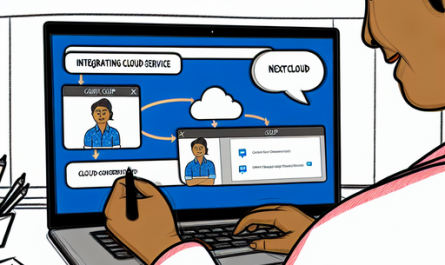
In today’s digital age, businesses need efficient tools to manage data and customer relationships smoothly. The combination of Nextcloud and amoCRM provides a powerful solution to streamline your business operations. This article dives deep into the integration of Nextcloud with amoCRM, offering insights on features, benefits, and step-by-step setup guidance.
Introduction to Nextcloud
Nextcloud is a renowned open-source suite of client-server software for creating and using file hosting services. It is designed for everyone from individuals to large enterprises. Nextcloud’s primary function is to allow users to store files, photos, and other data securely in the cloud while maintaining control over their data and privacy.
Get Nextcloud with 1 TB of storage for just up to €3.99 per month.
Try it now for one month free and risk-free.
- Data Security: Nextcloud ensures your data is securely stored and managed with state-of-the-art encryption.
- Collaboration: Real-time collaboration tools including text, voice, and video chat make teamwork seamless.
- Customization: Extensive customization options to fit your specific needs.
Introduction to amoCRM
amoCRM is a powerful, easy-to-use CRM (Customer Relationship Management) tool designed to help businesses manage customer interactions and streamline sales processes effectively. It allows businesses to automate sales, track customer behavior, and manage customer relationships intuitively.
- Sales Pipeline: Visualize and manage the entire sales funnel effortlessly.
- Automation: Automate routine tasks to save time and improve efficiency.
- Integrations: Connect with various tools and platforms for a unified workflow.
Why Integrate Nextcloud with amoCRM?
Integrating Nextcloud with amoCRM brings together the best of both worlds, combining robust cloud storage and sophisticated CRM capabilities. This integration offers numerous advantages, including:
Enhanced Data Management
By integrating amoCRM with Nextcloud, you can store customer data, documents, and other relevant files in a secure cloud environment. This ensures that all critical data is readily available and easily accessible when needed.
Improved Collaboration
Nextcloud’s collaborative tools, such as shared folders and real-time editing, make it easier for your team to work together on customer-related tasks. Combine this with amoCRM’s contact management, and you have a highly collaborative sales environment.
Automation of Routine Tasks
Using amoCRM’s automation features, you can automate repetitive tasks, such as sending follow-up emails and updating customer records. Coupled with Nextcloud’s automation capabilities, you can create workflows that save time and reduce manual effort.
Setting Up the Nextcloud and amoCRM Integration
Setting up the integration between Nextcloud and amoCRM is a straightforward process. Follow these steps to get started:
Step 1: Install Nextcloud
- Visit the official Nextcloud website.
- Download and install the Nextcloud server on your preferred platform (Linux, Windows, or macOS).
- Set up user accounts and customize your settings as needed.
Step 2: Install amoCRM
- Go to the amoCRM website.
- Sign up for an account and choose a subscription plan that suits your needs.
- Set up your CRM, including adding contacts, setting up pipelines, and customizing fields.
Step 3: Integrate Nextcloud with amoCRM
- Log in to your Nextcloud account.
- Install the amoCRM app from the Nextcloud App Store.
- Follow the on-screen instructions to connect amoCRM to your Nextcloud instance, including providing necessary API keys and authentication details.
Features and Benefits of Nextcloud and amoCRM Integration
Centralized Data Storage
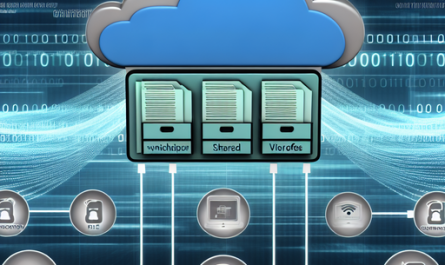
With Nextcloud, all your documents, customer data, and other files are stored in a centralized location. This makes it easy to manage and access your data from anywhere.
Seamless File Sharing
Share files easily with team members or clients using Nextcloud’s sharing features. You can control access permissions and ensure that sensitive information is secure.
Real-Time Collaboration
Nextcloud’s collaborative tools, such as shared folders and real-time editing, enhance teamwork. Combine this with amoCRM’s collaborative features to create a highly interactive work environment.
Sales Automation
amoCRM automates routine sales tasks, such as follow-ups and record updates. This reduces manual effort and allows your team to focus on high-priority tasks.
Improved Customer Management
Efficiently manage customer relationships using amoCRM’s tools. Store customer data, track interactions, and analyze behavior to improve customer service.
Use Cases of Nextcloud and amoCRM Integration
Small Businesses
For small businesses, managing customer relationships and data can be challenging. By integrating Nextcloud with amoCRM, you can streamline your processes, reduce manual workload, and improve customer service.
Sales Teams
Sales teams can benefit significantly from this integration. It allows better organization of customer data, easier collaboration on sales tasks, and automation of follow-ups, leading to improved sales performance.
Remote Work
In a remote work environment, having centralized data storage and efficient collaboration tools is crucial. The combination of Nextcloud and amoCRM provides an ideal solution for remote teams to collaborate seamlessly and manage customer relationships effectively.
Freelancers and Consultants
Freelancers and consultants can use Nextcloud to store project files and amoCRM to manage client interactions. This integration helps in organizing work, improving productivity, and providing better client service.
Best Practices for Using Nextcloud and amoCRM
To make the most of the Nextcloud and amoCRM integration, it’s essential to follow some best practices:
Regular Data Backups
Ensure regular backups of your data stored in Nextcloud to protect against data loss. Use Nextcloud’s built-in backup tools or third-party solutions for added security.
Maintain Data Security
Use strong passwords and enable two-factor authentication for both Nextcloud and amoCRM to enhance data security. Regularly update your software to protect against vulnerabilities.
Customize Workflows
Take advantage of the customization options available in amoCRM to create workflows that suit your business processes. Customize fields, pipelines, and automation rules to streamline your operations.
Train Your Team
Provide training for your team on how to use Nextcloud and amoCRM effectively. Regular training sessions help in maximizing the benefits of the integration and improve overall productivity.
Conclusion
The integration of Nextcloud with amoCRM offers a powerful combination of secure cloud storage and efficient customer relationship management. This integration enhances data management, improves collaboration, and automates routine tasks, making it an ideal solution for businesses of all sizes. By following the steps outlined in this article and adhering to best practices, you can leverage the full potential of Nextcloud and amoCRM to streamline your business operations and achieve greater success.
Implementing the Nextcloud and amoCRM integration will ultimately lead to better-organized data, more efficient teamwork, and superior customer service, positioning your business for sustainable growth and success in the competitive market.